Labeling Produce Air-Curtain Cabinet Zones for Shoppers and Staff
Plan shopper-facing zone labels, staff location codes and shelf price tags for an open produce cabinet, then check what changes when items move.
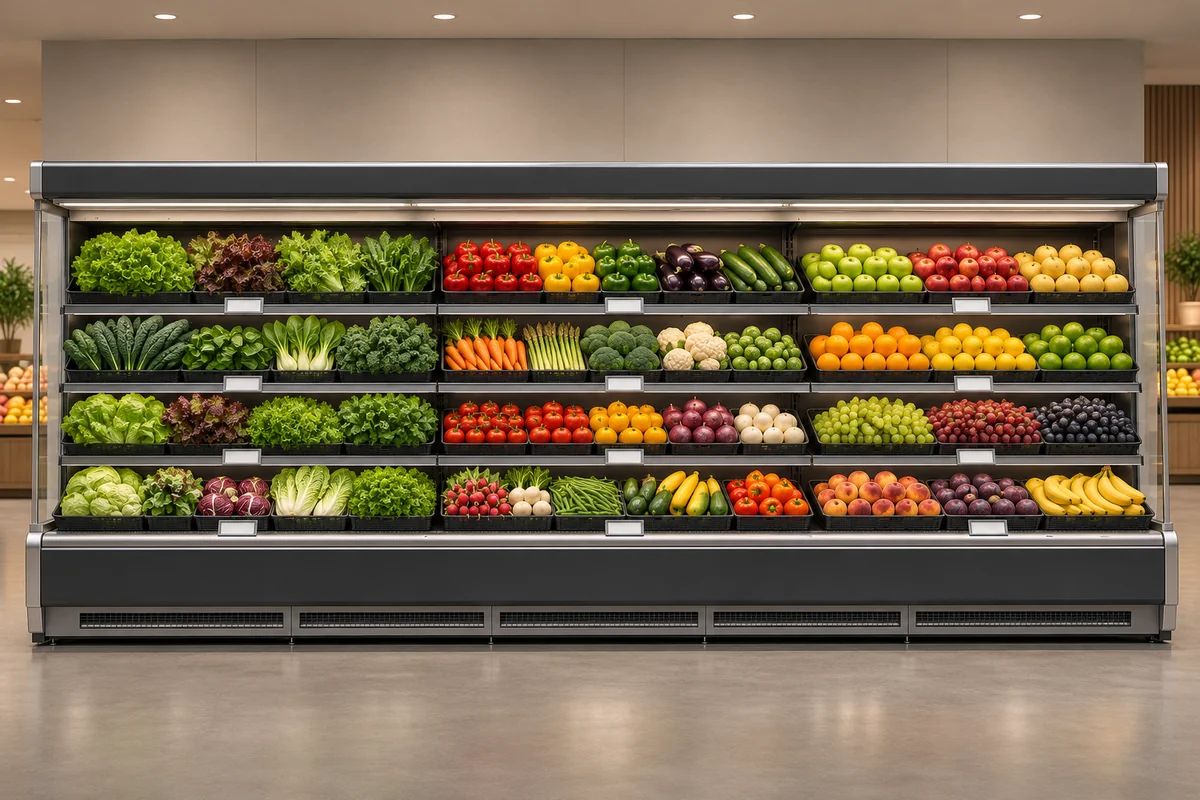
Separate category navigation from staff locations
Shoppers need to know which section to approach; staff need the exact level and basket. Keep these jobs separate from the price tag for each item.
Walk toward the cabinet from each normal approach. Use familiar category names, and let individual tags distinguish packaged and loose versions once shoppers reach the right section.
Map the display before numbering locations
Sketch the cabinet face with permanent sections, flexible areas and a clearly identified reference end. Keep zone boundaries aligned with actual baskets.
Use stable cabinet-section, level and position identifiers. Removing a basket temporarily should not renumber neighboring positions.
Pair the map with a front-facing photograph. Ask a colleague who did not make it to locate two items, then fix ambiguous origins or boundaries before adding signs.
Check which item each price tag points to
Align each tag with the real item boundary. Check the view straight on and from the side, especially where similar produce or two pack sizes sit next to each other.
Inspect each level from the aisle. Verify permitted tag holders and positions with the supplier and keep airflow openings clear. The illustration does not establish the cabinet's accessories or installation details.
Remove stale tags when moving an item
Log the old location, new location, replacement item and tag checker. After the move, start at the old position and then check the new one against the actual merchandise.
Pilot the system on one cabinet. Record whether problems concern finding the zone, locating the basket or reading the right price, then fix the corresponding layer.
Frequently asked questions
Can two displays of the same item share a location code?
The item code can be the same, but give each physical location its own code so staff can still find the remaining one after a change.
What should we prepare before selecting a cabinet?
Send a front sketch, produce and container photos, customer approach directions, planned permanent zones and questions about tag holders or placement.
Multi-zone produce air-curtain cabinet · Produce refrigeration · Ask Baonier about the configuration