Menu Display Cabinet Changeovers: Trial Tray Sizes, Labels and Replenishment Order
Rehearse a new menu with empty trays before changing the display. Check tray combinations, labels and replenishment order in a restaurant menu display cabinet so staff can translate the menu into clear, usable positions.
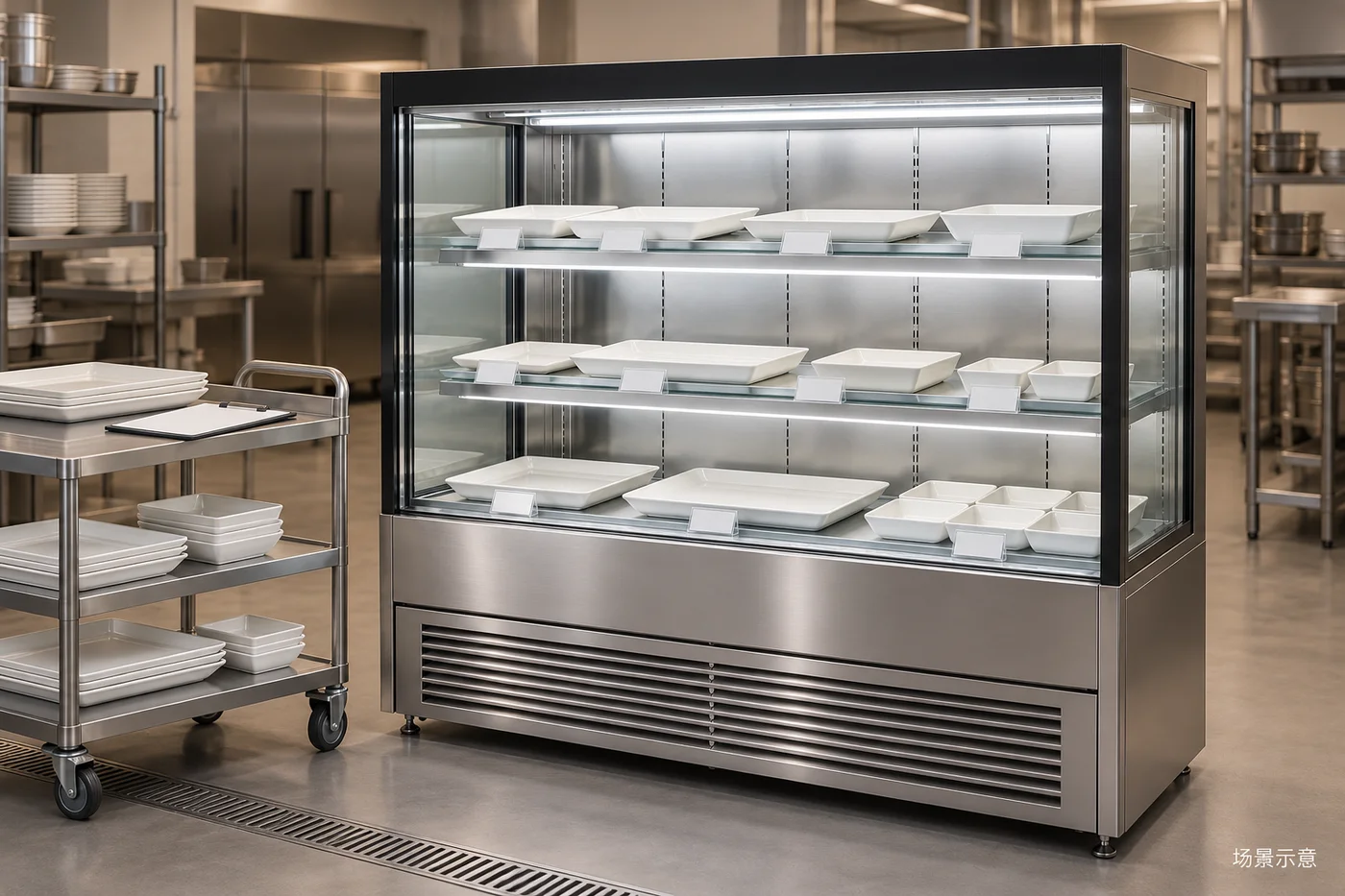
Translate the menu into a position plan
A finished menu does not establish which dish goes in which tray, where it sits or how staff replenish it. List the proposed items, tray types, display positions and spare containers, then rehearse with empty dishes. Find fit, visibility and handling problems before opening rather than trying to squeeze every menu item into the cabinet.
Separate items needing a physical display from those explained through menu images or other information. The responsible restaurant staff must confirm food storage and handling requirements against the ingredients and equipment instructions. Empty-tray rehearsal checks space and movement, not food-storage suitability.
Check tray rims and usable handling space
Use the actual dishes planned for service. Measure outer rims, handles and protruding edges rather than just the base. Deep containers, sloping label holders and utensils also occupy space. Confirm that each tray can be removed independently without overlapping its neighbour.
Start with the standard dishes, then introduce unusual shapes. If everything fits only after required gaps are removed, review the display allocation before assuming a larger cabinet is needed. Shelf adjustment and loading must follow the model documentation and supplier confirmation, not visual guesses about strength.
Link labels to positions and confirm availability separately
Give positions simple identifiers and map them to menu names after the trial. Use blank holders to check viewing angles, then have the responsible staff approve the final labels. List similar names, portion differences and changed display methods separately. Menu names and prices must come from approved restaurant information.
Plan how temporary unavailability will be communicated: removing the display, replacing the label or explaining it through staff. Update the position plan with the menu. Do not substitute a tray while retaining the previous label, or use another allocated position for spare dishes.
Rehearse service movements to agree replenishment order
Rehearse without food: one staff member removes an empty tray while another brings the matching spare to the agreed position. Watch for waiting, door interference, blocked walkways or trays obscuring adjacent displays. Record the problem and adjust the spare-tray station or replenishment route.
The aim is not a universal replenishment time. Staff need to know the route, spare locations and escalation contact. Include nearby payment, service and customer waiting areas when observing movement; do not solve a tray-handling problem by obstructing a shared passage.
Implement approved changes and retain a comparison sheet
Before launch, remove cancelled items from the plan and recheck replacement tray types, labels and spares. Keep a photograph with position identifiers as an arrangement reference, not evidence that food-storage conditions are suitable. Recheck the arrangement if the cabinet model or shelf plan changes.
After launch, record specific observations: names repeatedly queried, trays that require neighbouring dishes to be moved, or recurring detours during replenishment. Link each observation to a position and update the agreed replenishment method so experienced and new staff use the same arrangement.
Questions before filling the display
Does a longer menu require a larger cabinet? First decide which items need a physical display and trial the real tray sizes; menu line counts alone do not determine equipment numbers. Is physical fit sufficient? Also confirm readable labels, independent tray removal, clear spares and routes, with responsible staff checking suitability for the actual food and equipment.
When contacting BAONIER, provide the display-item plan, tray dimensions, site photographs and issues found in rehearsal. Browse the menu cabinet and catering category, then discuss configuration and access requirements. This is an organization guide with an empty-tray conceptual illustration; the restaurant’s procedures and the confirmed equipment documents govern actual use.
Products and requirements
Menu display cabinet product information · Catering equipment category · Discuss display and layout requirements