How to create a layered display for fruits without increasing customers' searching efforts
Organize zones using colors, packaging, and picking methods so customers can see key items without having to turn over the entire row of products. The irregular arrangement of heights helps create a visual hierarchy, but every retrieval process must be convenient; If picking one box requires moving two boxes, a beautiful display will increase the actual workload.
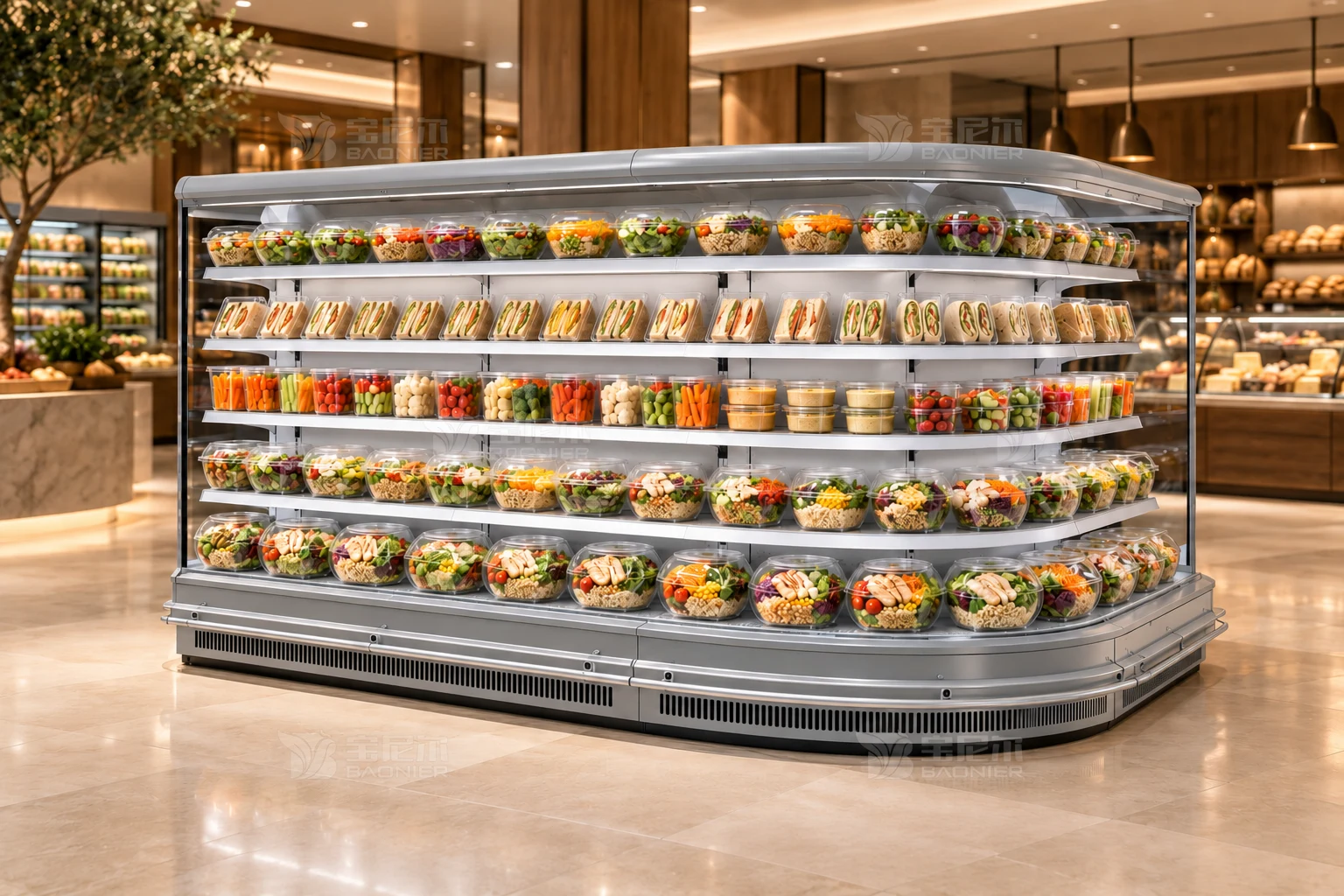
Start drawing by depicting the movement of people and items
Fruit stores hope to arrange daily fruits and gift box products more clearly. The location of the fruit refrigerators affects both viewing, operation, and turnover. When discussing the layout, if only a rectangle is placed on the floor plan, it’s easy to miss the movement ranges of doors, personnel, and containers. Organize zones using colors, packaging, and picking methods so customers can see key items without having to turn over the entire row of products. Consider display height, basket edges, and the line of sight from the cabinet together to avoid upper signs covering the content in the back row. The issue is not just ensuring the equipment fits properly, but ensuring it works well with surrounding processes during actual operation.
When drawing the first draft sketch, you can use lines to represent the movement of customers, staff, and items separately. This involves bulk fruits, boxed fresh fruits, gift boxes, and turnover containers of different heights. Their entry and exit methods and resting positions are not exactly the same. Separate the regular paths from occasional paths, with special attention to actions that occur simultaneously during peak times; Positions that seem non-conflicting in normal use may need rearrangement when used by two people.
Distinguish between the equipment boundary and the operable boundary
The equipment diagram indicates a fixed footprint, but the actual layout must also accommodate handling, opening, organizing, and necessary service areas. Categorize fruits based on their preservation requirements and sales forms, then verify the purpose of the freezer, without assuming all fruits will be stored in the same environment. When comparing sizes, include real fruit baskets and packaging to check if picking and displaying prices is convenient. After including these compatibility conditions in the drawings, it is necessary to indicate which dimensions come from the equipment documentation, which are measured on-site, and which still need confirmation. Using different colors to distinguish sources can reduce discrepancies between the design drawings and on-site understanding.
The fixed positions on the layout diagram must be tested when items change. Take a fruit refrigerated cabinet as an example: assume bulk fruit baskets are placed in the front row, and gift boxes in the back row. The higher gift boxes block some price tags. When making adjustments, don’t just focus on color coordination. It’s also necessary to verify that product names and prices correspond to specific items from the customer’s normal viewing position. When transforming this scenario into observable steps, first establish the identities of items and personnel, then outline the points of interaction. After testing the arrangements, record where pauses are necessary, where accessibility must be maintained, and whether adjustments affect the next task. Confirm the device’s appearance, store decoration, and operating space on the same drawing, so on-site personnel can execute tasks consistently.
Make a justified choice between display and operation.
The irregular arrangement of heights helps create a visual hierarchy, but every retrieval process must be convenient; If picking one box requires moving two boxes, a beautiful display will increase the actual workload. Prepare two distinct placement schemes: one prioritizing the main viewing area, and another prioritizing minimizing repeated handling. Have users walk through each step individually, then record whether pauses, turns, or detours are required at each step. Comparisons should focus on actions, not just voting for the most attractive image.
When simulating peak usage, include adjacent processes together in the image. Take a fruit refrigerated cabinet as an example: if a fruit type changes from bagged to boxed, the packaging width and stacking method also change. Recheck the picking actions and displayed quantities to avoid the situation where customers have to move surrounding products every time they pick a box after using old positions. When transforming this scenario into observable steps, first establish the identities of items and personnel, then outline the points of interaction. After testing the arrangements, record where pauses are necessary, where accessibility must be maintained, and whether adjustments affect the next task. Confirm the device’s appearance, store decoration, and operating space on the same drawing, so on-site personnel can execute tasks consistently.
Inspect the drawings during the business operation process, rather than only focusing on the opening status
Record in the restocking list which packaging tends to fall over, which layer is prone to empty spaces, and whether staff can clearly identify products that need adjustment. Treat display issues and product management issues separately to reduce repeated moving operations. These records can help verify the layout in reverse: which areas often need to be temporarily cleared, which items have no fixed place, and which routes are occupied by restocking activities. For recurring issues, investigate whether it's due to poor positioning, insufficient labeling, or unclear responsibilities, and avoid attributing all problems to the equipment size.
Whether a layout can be used long-term also depends on how subsequent changes are managed. Taking a fruit refrigerator as an example, assume employees repeatedly move other fruit baskets to create space. The records should reflect the number of items moved and their original positions. By observing whether there are clear restocking boundaries, you can first adjust the display organization before deciding whether additional equipment is needed. When transforming this scenario into observable steps, first establish the identities of items and personnel, then outline the points of interaction. After testing the arrangements, record where pauses are necessary, where accessibility must be maintained, and whether adjustments affect the next task. Confirm the device’s appearance, store decoration, and operating space on the same drawing, so on-site personnel can execute tasks consistently.
Turn the arrangements tested in practice into a consensus on site
Check the fit between the shelves or basket supports, edge guards, and packaging, and identify items provided by the equipment and those prepared by the store. The decoration methods shown in displays should not directly replace the specific storage requirements for products. After the layout is finalized, assign numbers to the equipment and adjacent workstations, note the confirmation date, and ensure all relevant personnel use the same version of the drawings. When dimensions or configurations change, make corresponding modifications. Old diagrams should be clearly marked to prevent ongoing construction or receiving at expired positions on site.
BAONIER recommends providing floor plans, on-site photos, and representative container sizes together during product communication. For fruit refrigerators, a actionable layout guide should answer where items come from, who uses them, where they go after use, and which locations must remain accessible. By translating these questions into specific actions, the equipment becomes a stable working position within the business process, rather than a source of constant detours and temporary adjustments.